Playable Vectrex game
About Animaction (light pen)
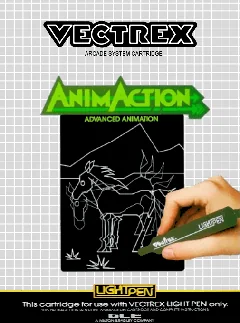
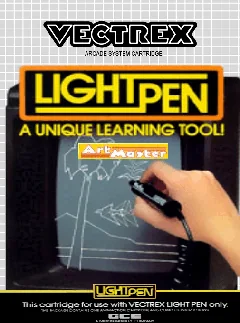
Explore Animaction, an original 1983 Vectrex light-pen creativity cartridge for drawing and assembling simple vector animation sequences.
- Collection
- Games
- Classification
- Official library
- Catalog year
- 1983
- Publisher / context
- GCE / Milton Bradley
- Genre
- Creative software, Animation, Light pen
- Players
- 1 user
- Research confidence
- partial
- ROM editions
- 1
- Browser controls
- Keyboard, joystick, or gamepad
Development and history
Animaction was released in 1983 as one of the Vectrex light-pen cartridges. It belongs to the system’s unusual creative-software catalog rather than its conventional arcade-style games. The Vectrex Game Database lists the title but does not identify a programmer.
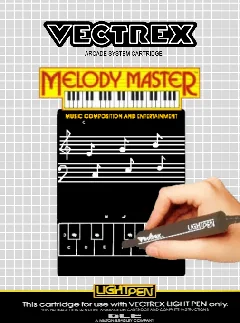
The cartridge demonstrates how GCE tried to extend the Vectrex beyond action games. With the light pen, users could point directly at the CRT, draw vector shapes, and arrange frames into short animations—an uncommon feature for a home console of the period.
This page uses one stable canonical URL for the title and loads its embedded ROM directly into the emulator after the Vectrex BIOS is ready.
This title was designed around the original Vectrex light pen. Vectrexia currently emphasizes keyboard and gamepad input, so light-pen-specific interaction may not be fully represented.
Gameplay and background
The original workflow depends on a Vectrex light pen and direct interaction with the CRT. Vectrexia can execute the cartridge, but mouse, touch, keyboard, or gamepad input does not yet fully reproduce the timing and positioning behavior of the physical light pen.
How to play in Vectrexia
- Move with the Arrow keys or WASD. Compatible controllers can use the left analog stick or D-pad.
- Vectrex buttons 1–4 map to Z, X, C, and V, and to the standard face buttons on most gamepads.
- Press a controller button after connecting it so the browser can expose the gamepad to the page.
Audio may begin after the first click, key press, or controller input because browsers can restrict autoplay.
Research sources
Available editions
Alternate dumps and revisions share this canonical page to avoid duplicate search pages. Choose a specific edition from the in-app Library.