


Playable Vectrex game
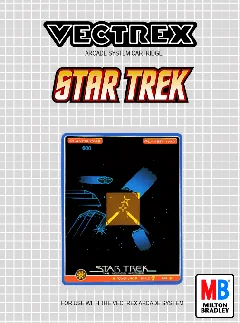
About Star Trek - The Motion Picture
Play the licensed Star Trek presentation of Mark Indictor’s first-person Vectrex starship combat game.
- Collection
- Games
- Classification
- Official library
- Catalog year
- 1982
- Programmed by
- Mark Indictor
- Designed by
- Mark Indictor
- Publisher
- GCE / Milton Bradley under Paramount license
- Genre
- First-person space combat
- Players
- 1–2 players, alternating
- Research confidence
- verified
- ROM editions
- 2
- Browser controls
- Keyboard, joystick, or gamepad
Development and history
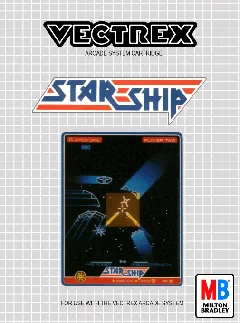
Star Trek: The Motion Picture is the licensed presentation of the Vectrex program also sold as Star Ship. Mark Indictor is credited with designing and coding the game for Western Technologies/GCE.
The dual naming is useful preservation context: ROM collections may list Star Ship and Star Trek separately even though they share their design and much of their program identity. Vectrexia keeps both canonical pages so visitors can find either historic title.
This page groups 2 ROM editions under one stable URL instead of creating duplicate search pages for alternate dumps or revisions. The primary edition loads automatically; the other editions remain available in the in-app library.
Gameplay and background
Pilot from a forward cockpit-style display, locate hostile ships, and use the available weapons and controls to survive encounters. The game favors observation and positioning over the constant rotation of the system’s arena shooters.
How to play in Vectrexia
- Move with the Arrow keys or WASD. Compatible controllers can use the left analog stick or D-pad.
- Vectrex buttons 1–4 map to Z, X, C, and V, and to the standard face buttons on most gamepads.
- Press a controller button after connecting it so the browser can expose the gamepad to the page.
Audio may begin after the first click, key press, or controller input because browsers can restrict autoplay.
Research sources
Available editions
Alternate dumps and revisions share this canonical page to avoid duplicate search pages. Choose a specific edition from the in-app Library.