Playable Vectrex game
About Berzerk (Bugfixed Prototype)
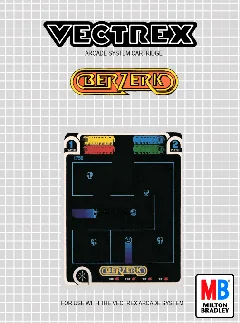
Play Berzerk (Bugfixed Prototype), a bug-fixed prototype derived from the documented Vectrex title Berzerk.
- Collection
- Games
- Classification
- Official variant / prototype
- Catalog year
- 1982
- Research credit
- Chris King
- Design reference
- Alan McNeil (arcade original)
- Publisher / context
- GCE / Milton Bradley
- Genre
- Maze shooter, Arcade conversion, Community modification
- Players
- 1–2 players, alternating
- Research confidence
- catalog-based
- ROM editions
- 1
- Browser controls
- Keyboard, joystick, or gamepad
Development and history
Berzerk was designed by Alan McNeil for Stern Electronics and became known for robot-filled mazes, digitized speech, and the relentless Evil Otto. GCE released a Vectrex conversion in 1982, with Chris King credited as the Vectrex programmer in the Vectrex Game Database.
This preserved build addresses known issues in the original Vectrex Berzerk port. Public databases do not consistently identify the person who produced this exact debugged binary, so the page credits Chris King for the base port and leaves the later fix author unclaimed.
This page uses one stable canonical URL for the title and loads its embedded ROM directly into the emulator after the Vectrex BIOS is ready.
Gameplay and background
Move through maze exits, shoot robots in eight directions, avoid walls and crossfire, and leave before Evil Otto reaches the player. Robots can destroy one another, so positioning enemies into their own lines of fire is part of the strategy. This edition changes the experience through its bug-fixed prototype behavior.
How to play in Vectrexia
- Move with the Arrow keys or WASD. Compatible controllers can use the left analog stick or D-pad.
- Vectrex buttons 1–4 map to Z, X, C, and V, and to the standard face buttons on most gamepads.
- Press a controller button after connecting it so the browser can expose the gamepad to the page.
Audio may begin after the first click, key press, or controller input because browsers can restrict autoplay.
Research sources
Available editions
Alternate dumps and revisions share this canonical page to avoid duplicate search pages. Choose a specific edition from the in-app Library.